WordPress Website Hacked – Why Are Finnish Websites Constantly Targeted by Cyberattacks?
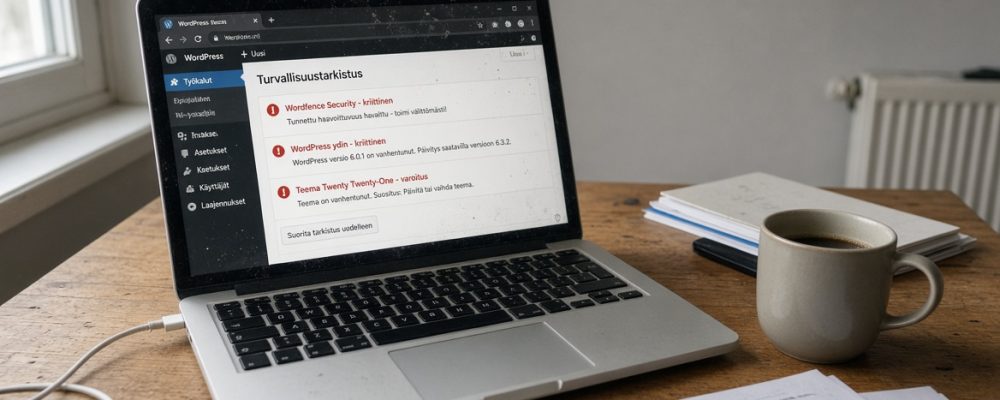
Traficom’s Cyber Security Centre has reported that the wave of WordPress website attacks is continuing in Finland. In spring 2026, attackers exploited vulnerabilities in WordPress plugins. In summer, the attacks expanded to target a critical vulnerability in WordPress itself, and Finnish websites were successfully compromised.
The problem is much bigger than someone simply replacing your homepage with embarrassing images or messages.
A compromised WordPress website can also be used to launch attacks against your customers and website visitors.
Security risks can hide in many places
For example, a website may have:
- 15 plugins
- 3 themes, only one of which is in use
- multiple administrator accounts
- contact forms
- analytics integrations
- payment systems
- booking systems
- custom-written PHP code
- hosting control panels
- old plugins that nobody remembers installing anymore
Every unnecessary component can introduce another potential security vulnerability.
“We are a small Finnish company. Nobody wants to hack us.”
This is a dangerous assumption.
Most attacks do not begin with someone researching your company and deciding to target you specifically.
An automated system can scan the internet for WordPress installations and identify vulnerable versions, plugins, or configurations.
If a vulnerability can be exploited automatically, the attacker does not need to know who you are.
They only need to find a vulnerable website.
This changes the entire economic logic of website security.
An attacker can attempt the same technique against thousands of websites with almost no additional cost.
Your website does not need to be interesting.
It only needs to be vulnerable.
This is not a theoretical risk – attacks are happening continuously
Artificial intelligence is a powerful tool, but like other technologies, it can also be misused. It can make it easier to automate attacks and give attackers new ways to find vulnerabilities and generate malicious content.
In July, Traficom reported that attackers were actively exploiting a critical WordPress vulnerability that allowed remote code execution without user authentication.
The vulnerability known as “wp2shell” was rated 9.8/10 in severity.
For Finnish website owners, even more important is the fact that Traficom reported Finnish organisations being successfully compromised.
The authorities reminded organisations that vulnerable systems should not simply be updated and then forgotten about. Logs and system settings should also be checked to determine whether the system has already been compromised.
At the end of August, Traficom issued another warning that WordPress website attacks are continuing in Finland.
This time, the warning also highlighted another significant consequence: compromised websites had been used to distribute malicious content. Visitors to these websites could therefore be tricked into downloading malware.
The problem therefore does not only affect the website owner.
A compromised website can also pose a risk to its visitors.
“But we updated WordPress last year”
That is not enough.
Website security is not something you can take care of once and then forget about.
A website can be completely secure in January and vulnerable in March because hackers have discovered a new way to break into it.
Traficom has repeatedly emphasised the importance of keeping WordPress and its plugins up to date, as well as continuously monitoring security.
This is particularly important when it comes to plugins.
A plugin may have worked flawlessly for years. That does not mean it will be secure forever.
If you have plugins installed on your website that you no longer use, there is generally no good reason to keep them.
Unused software is still software, and it can still become a security risk.
Five things every Finnish WordPress website owner should do
1. Keep WordPress up to date
Do not postpone WordPress security updates indefinitely.
Critical vulnerabilities can start being exploited surprisingly quickly after details of a vulnerability or a working exploit method become public.
2. Update all plugins and themes
Updating WordPress does not solve the problem if you leave vulnerable plugins unupdated.
Plugins should be actively maintained and kept up to date.
If a plugin is no longer needed, remove it.
3. Remove unnecessary administrator accounts
Former employees, previous web developers, and forgotten test accounts should not retain administrator privileges.
Every administrator account is a potential entry point.
Use strong, unique passwords and two-factor authentication.
4. Take care of backups – and make sure they work
A good hosting provider takes care of regular and automatic backups. However, that does not mean you can forget about the matter entirely.
At a minimum, you should check:
- what is included in the website backups
- how long backups are retained
- how often backups are taken
- how quickly the website can be restored
- whether the website can be restored to a point in time before a potential breach
Backups are only useful when the website can actually be restored to a working state when needed.
If a website is compromised, a backup that is quickly available and known to work can save a great deal of time, money, and effort.
5. Monitor your website
Monitor, for example, the following:
- unexpected administrator accounts
- modified files
- unknown plugins
- suspicious PHP files
- redirects to unknown websites
- unexpected JavaScript code
- unusual login activity
- sudden changes in search results
- spam pages appearing under your own domain
Simply updating is not enough after a breach
An attacker may have:
- created a new administrator account
- modified a plugin
- installed a backdoor
- hidden malicious code in files and the database
- created scheduled tasks that activate later

In its warnings concerning the 2026 WordPress attacks, Traficom has specifically reminded organisations that vulnerable systems should also be investigated for signs of compromise.
After a breach, the website must be thoroughly investigated
If there is reason to suspect that a website has been compromised, simply updating the software is not enough. First, it must be determined what has happened on the website and whether the attacker has left anything behind that could allow them to regain access.
The investigation should cover at least user accounts, files, the database, plugins, server logs, and any changes to the website’s settings.
If the security of the website cannot be verified, a clean backup or a completely clean installation is a safer starting point than simply deleting individual suspicious files.
The most important thing is to make sure that the attacker cannot get back in immediately after the website has been restored to operation.
Your website is part of your company’s cybersecurity
In many Finnish companies, a website is seen primarily as a marketing expense.
That is a mistake.
Your website may process contact information, customer data, orders, payments, or bookings. It may also be connected to email accounts, analytics services, and other systems used by your company.
Reporting a data breach
Whether a data breach needs to be reported must be assessed on a case-by-case basis. Among other things, the key consideration is whether the incident could cause harm to the individuals whose personal data is involved.
https://tietosuoja.fi/ilmoitus-tietoturvaloukkauksesta
Even if your website contains no sensitive data, your domain has value
A compromised website can damage:
Imagine a potential customer searching for your company on Google and seeing a warning in the search results that your website may be dangerous.
- customer trust
- visibility in search engines
- email deliverability
- the company’s reputation
- the security of customers’ devices
- business operations
It is no longer just a technical problem.
It is a business problem.
The uncomfortable truth: an endless cat-and-mouse game with hackers
There is no magical security plugin that makes a website “secure forever”.
There is no point at which you can install WordPress, configure it once, and forget about the whole thing for five years.
Security requires continuous maintenance.
That means updating software.
Removing unnecessary components.
Managing access rights.
Monitoring events.
Maintaining restorable backups.
The good news is that most of these measures are not complicated.
The bad news is that they actually have to be done.
Don’t wait for your website to be hacked
The question should not be:
“Has someone tried to hack our website?”
If your website is publicly available on the internet, the safer assumption is that automated systems are already scanning it for potential vulnerabilities.
A better question is:
“If someone gets in tomorrow, will we notice it – and will we be able to recover from it?”
Owners of Finnish WordPress websites should take the events of summer 2026 seriously, even if your website has not been hacked.